Tags and users help you organize your video library by swimmer, stroke style, technique, or any category you choose. Once added, they make it easy to filter, search, and review videos in the right context.
You can manage your tag system and user list in one central place — and apply those tags when saving or editing individual videos.
Managing Tags and Users
To open tag and user management, go to the User and Tag Management screen. From here, you can:
- Edit Tags creates a pop-up where you can create or organize tag groups and labels.
- Add new users to your team
- Delete users who are no longer needed
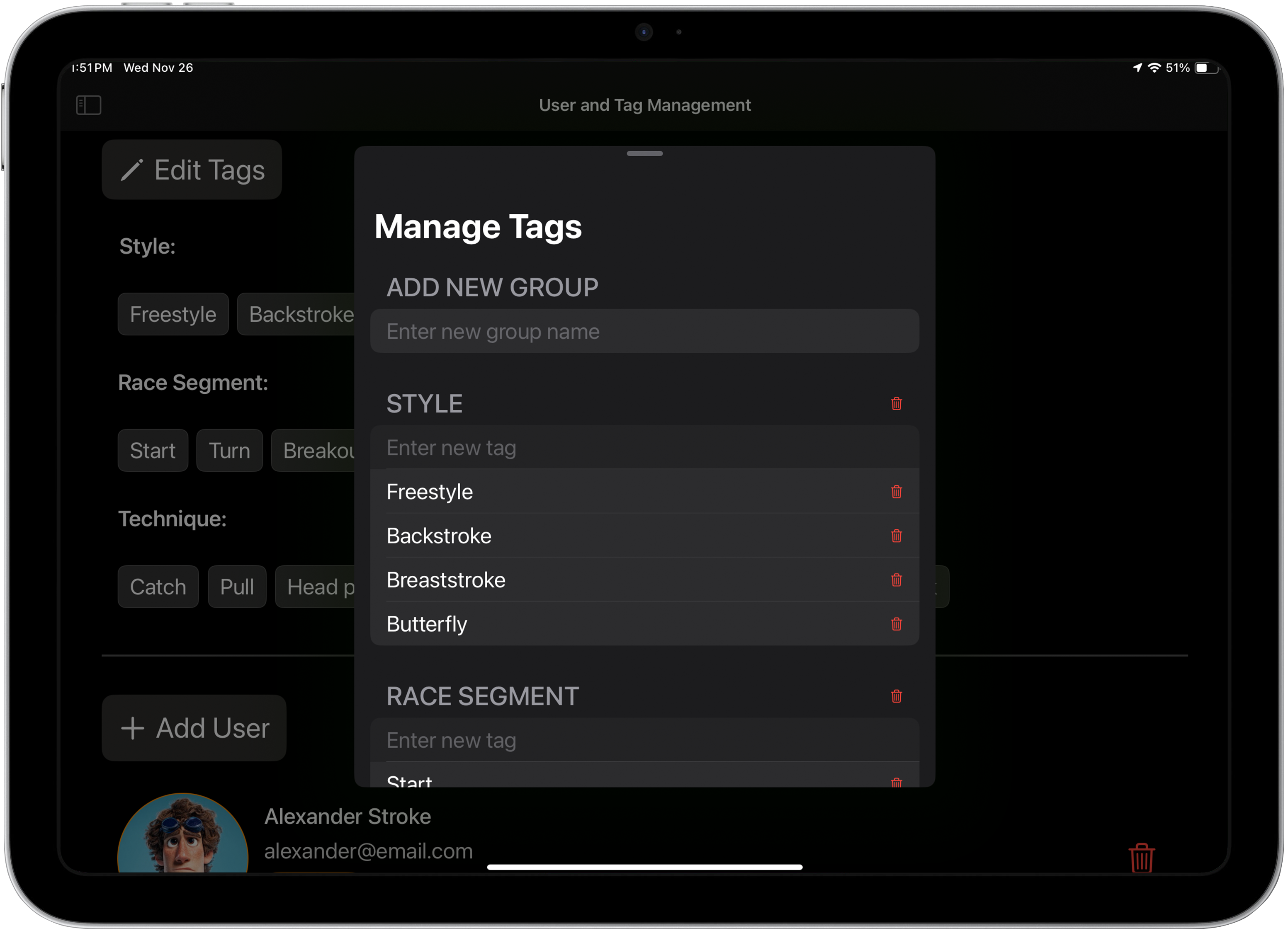
The app comes with a built-in tag system tailored for swim analysis — but you can fully customize it to match your coaching style.
Tagging Videos with Users and Tags
You can add tags and users to a video in the Tag and Save view. This view appears when you:
- Finish an Analysis Capture
- Tap the folder with plus icon in the Analysis View
- Edit an existing video from the Video Library
In the Tag and Save view, you can:
- Select one or more users who appear in the video
- Tap to add tags for style, technique, race segment, or any custom category
- Optionally mark the video as a Favorite
- Tap Save or Save as new to apply changes
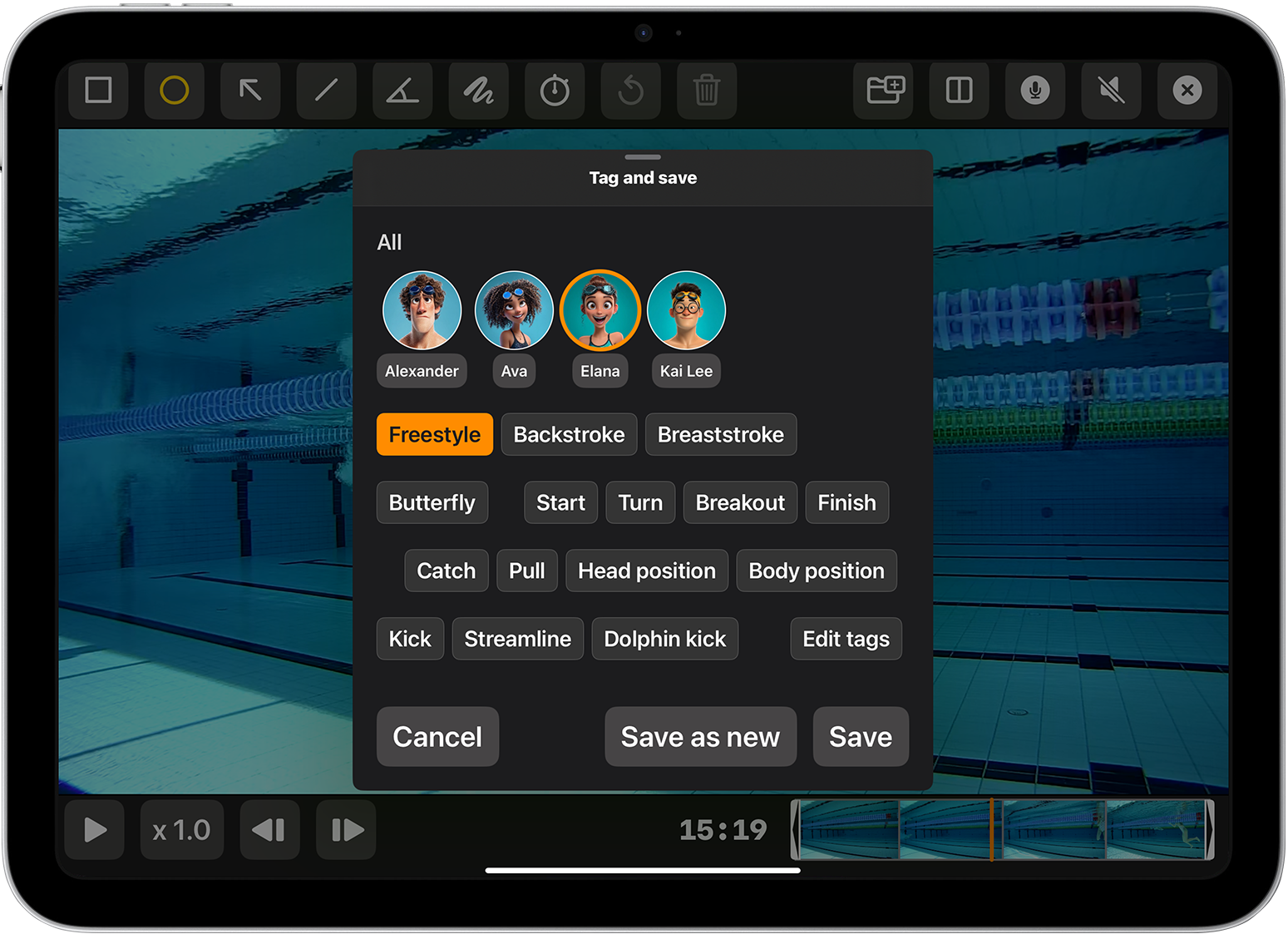
Once saved, the video will be labeled accordingly in the Video Library. These tags are used when filtering your library using the Users and Tags filter at the top of the screen.