How to Record or Create a Replay
There are two easy ways to capture video clips in the Athlee app:
- Record live video
- Replay something that already happened, even if you weren’t recording at the time.
Both methods create clips that open directly in the Analysis View, where you can slow down, annotate, compare, and tag videos.
Option 1: Record Live Video
Use the red Record button to capture live footage manually. This is available when watching the Live View from any camera.
How to Record:
- Select a camera using the Cam selector in any window.
- Make sure the delay is set to Live — the Record button only appears in live mode.
- Tap the red Record button to begin recording.
- Tap again to stop.
- The clip opens immediately in the Analysis View.
Saving Options
By default, all replays and recordings open in the Analysis View. From there, you can annotate, tag, and save.
If you’d prefer to skip the Analysis View and save directly to your iPad’s Photos app:
- Go to Menu → Settings
- Turn on the Skip Analysis View toggle.
- Recordings and replays will now be saved straight to the Video Library.
Option 2: Create a Replay
The Replay feature lets you instantly grab footage from a moment you just saw — without needing to record in advance. This works in any of the delay views (e.g., 6s, 12s) or even the live view.
How It Works:
- Athlee constantly buffers the last 120 seconds of video from each camera.
- When you tap the Replay button (the circular arrow with the number), a clip is created from that buffer.
- The replay clip opens immediately in the Analysis View.
Adjusting the Replay Length:
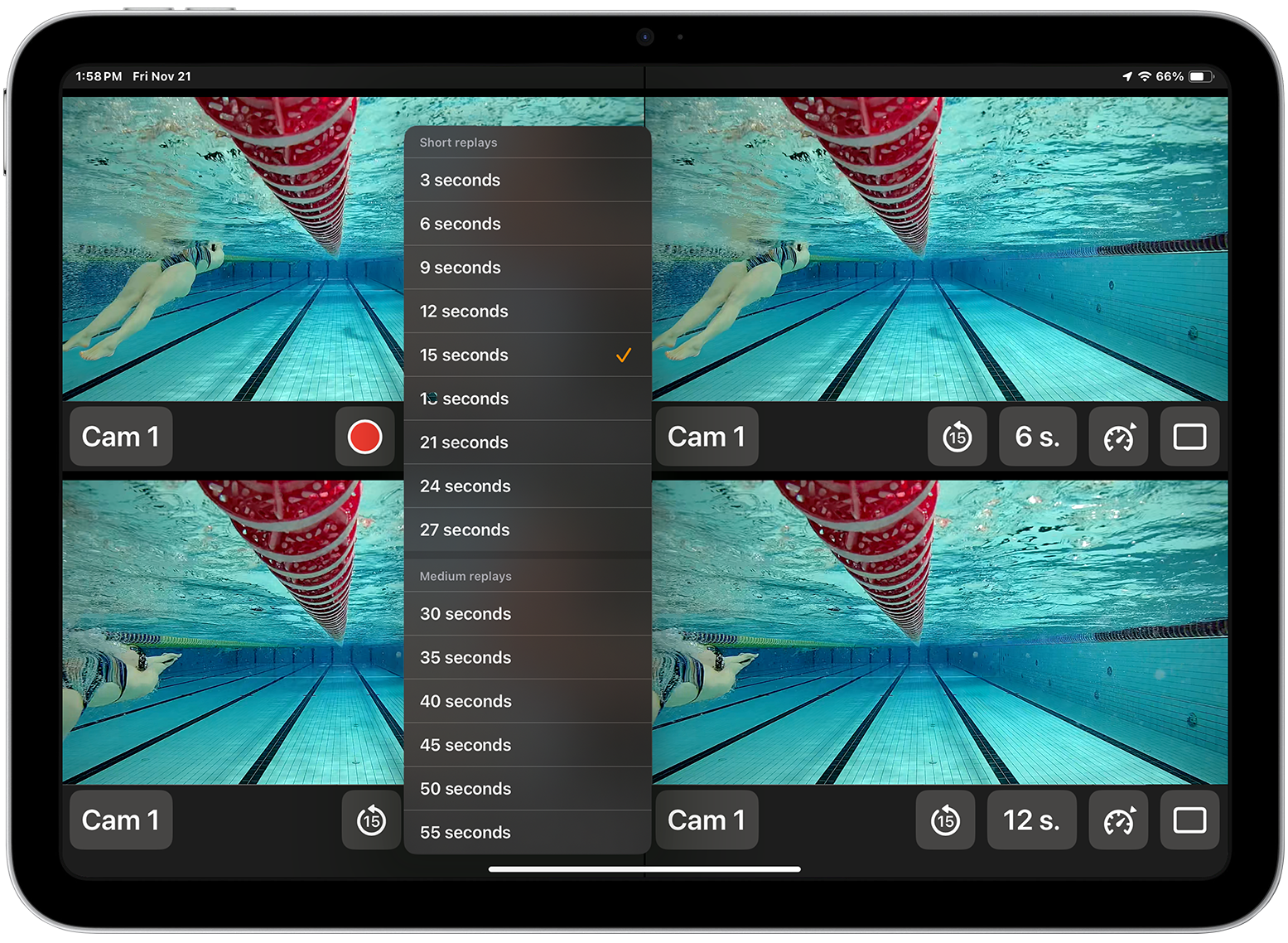
- Press and hold the Replay button to open the replay length menu.
- You can choose any length between 3 and 120 seconds.
- Once set, a short tap on the Replay button will create a clip of that length.